 Askill
d38260b20b
Askill
d38260b20b
|
||
|---|---|---|
| Application | ||
| docs | ||
| generate test footage | ||
| .gitignore | ||
| README.md | ||
| licens.txt | ||
| main.py | ||
| requirements.txt | ||
README.md
Video Summary and Classification
Example:
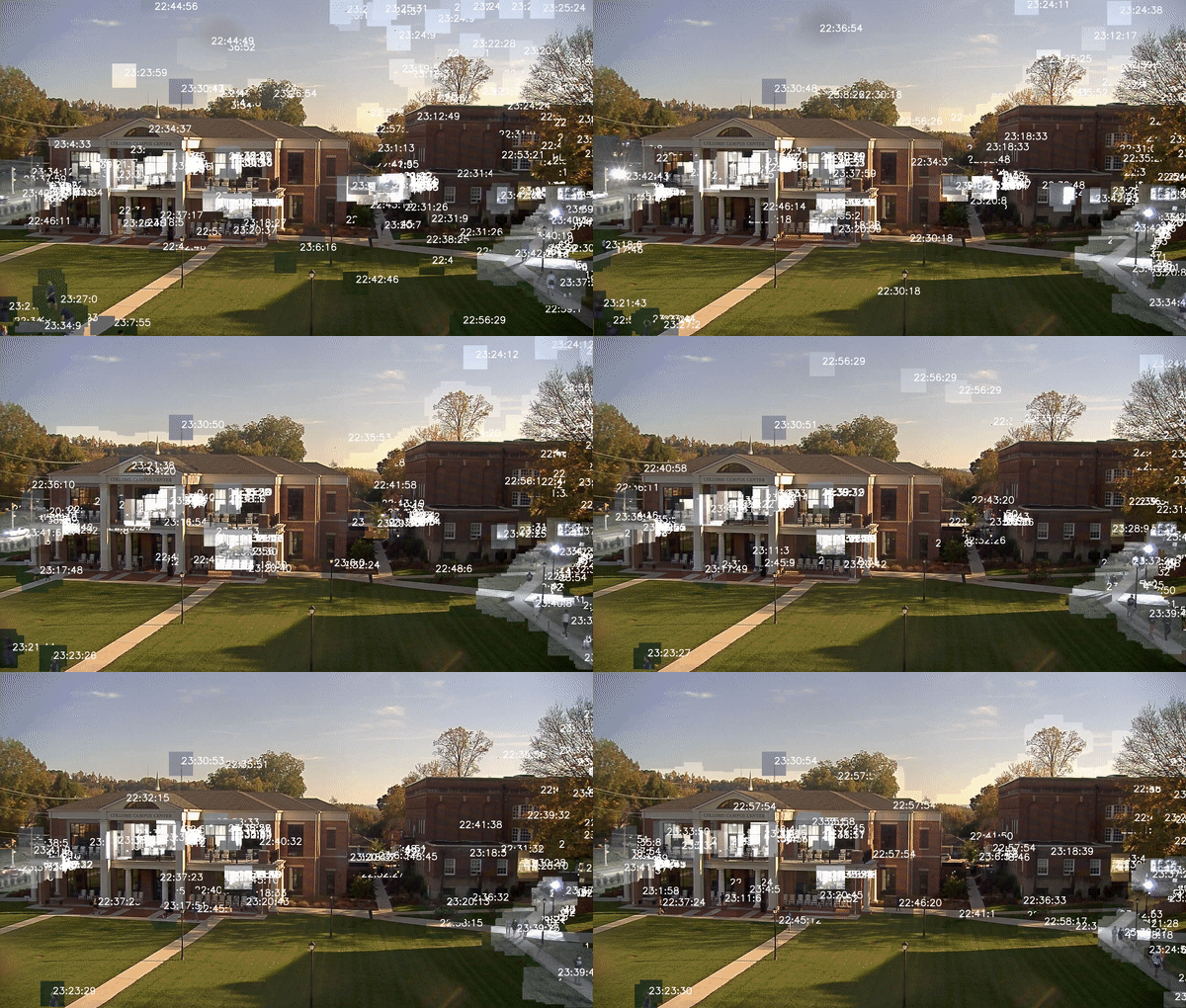
What you see above is a 15 second excerpt of a 2 minute overlayed synopsis of a 2.5h video from an on campus web cam.
The synopsis took 40 minutes from start to finish on a 8 core machine and used a maximum of 6Gb of RAM.
However since the contour extraction could be performed on a video stream, the benchmark results show that a single core would be enough to process a video faster than real time.
Benchmark
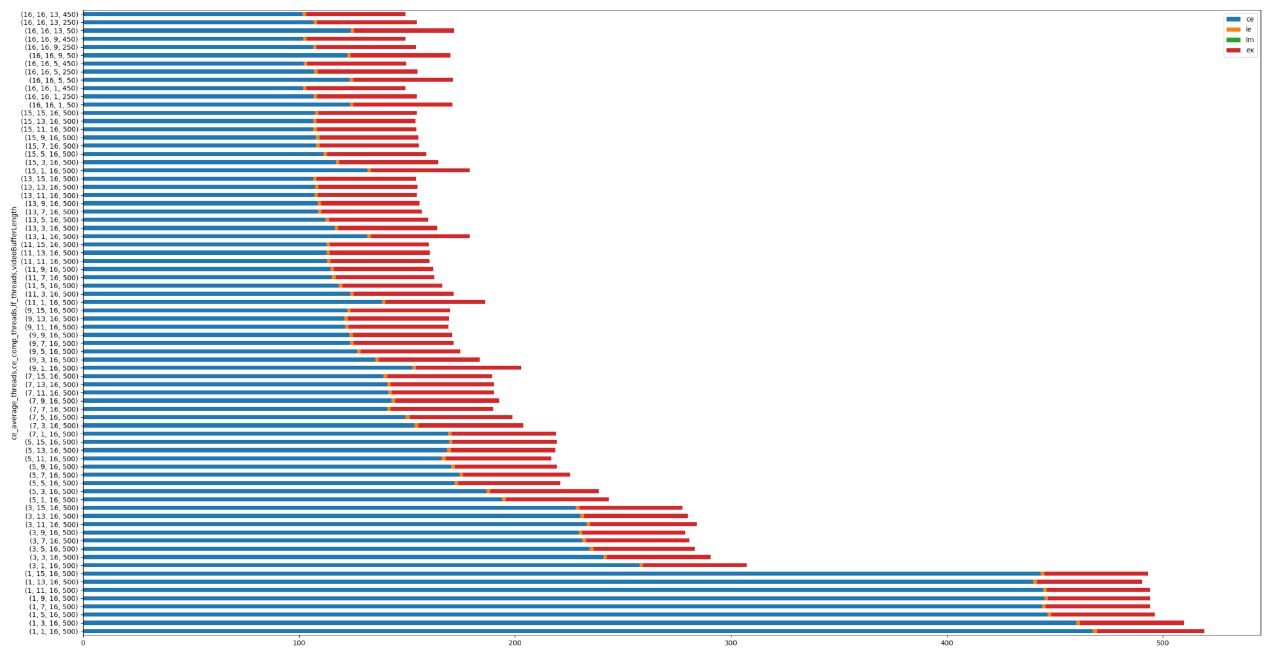
Below you can find the benchmark results for a 10 minutes clip, with the stacked time per component on the x-axis.
The tests were done on a machine with a Ryzen 3700X with 8 cores 16 threads and 32 Gb of RAM.
On my configuration 1 minutes of of the original Video can be processed in about 20 seconds, the expected processing time is about 1/3 of the orignial video length.
- CE = Contour Extractor
- LE = LayerFactory
- LM = LayerManager
- EX = Exporter
notes:
install tensorflow==1.15.0 and tensorflow-gpu==1.15.0, cuda 10.2 and 10.0, copy missing files from 10.0 to 10.2, restart computer, set maximum vram